


Roadtrippers - Trip Planner
2.53.06K Reviews
App Specs
- Version
- 3.0.2.6296
- Updated On
- License
- Free
- Downloads
- 1,000,000+
- Developer
- Roadtrippers
- Categories
- Travel & Local
- Platform
- Android, iOS
Screenshots
 Analysis by AppCompare
When I’m planning a drive, the route is only half the decision. I also want to know what might make the journey worth slowing down for, and whether I can still use my plan when I’m away from reliable service. Roadtrippers - Trip Planner is built around turning a drive into a stop-by-stop outing, but it works best when I treat it as a planning companion rather than the only tool I’ll need on the road.
Where connectivity changes the plan
The most useful moments in a trip planner often happen before departure: choosing a route, browsing places, and deciding which stops are worth the detour. Roadtrippers, made by developer Roadtrippers, gives that exploratory stage a clear focus. I can think beyond the fastest way from A to B and consider attractions, food, and other places that could shape the day.
That browsing-first approach also means I would do the detailed work while I have a dependable connection. I’d check the route, review possible stops, and make sure the itinerary reflects what I actually want—not just every tempting suggestion. I wouldn’t assume that a saved plan replaces a live navigation connection, so on a long drive I’d keep a familiar navigation option available as a backup.
Built for the passenger seat, best prepared in advance
On a road trip, the phone may be used in very different conditions: at home with time to compare stops, in a passenger’s hands during a break, or briefly at a fuel stop while the driver waits. The app’s trip-building style suits those planning pauses particularly well. I can shape the day around a few worthwhile detours instead of trying to make decisions while the car is moving.
My practical rule would be to let the passenger handle browsing and changes. The driver should not be searching through attractions or editing an itinerary on the road. Before leaving, I’d also note the key stop names and the general route somewhere accessible, so a weak signal doesn’t turn a simple change of plan into a stressful phone session.
Recovering when plans or service change
Even a well-planned drive rarely stays perfect. A stop may be closed, the group may want lunch sooner, or traffic may make a detour feel less appealing. Roadtrippers is most helpful when I leave breathing room in the itinerary: choose a few priorities, then keep extra suggestions as options rather than appointments.
If the connection drops, I’d avoid counting on being able to browse fresh recommendations or make every edit at that moment. I’d use the itinerary I prepared earlier, make decisions at a safe stop, and switch to a navigation tool suited to the immediate driving task if needed. That is a sensible trade-off for an app focused on discovering and organizing road-trip stops, rather than a guarantee that one screen will cover every travel situation.
Worth Reading Before You Choose

Flipboard Shows What News Apps Must Do Beyond the Feed

Switching to Android Auto Means Rethinking Your Driving Routine

Google Calendar Makes a Crowded Week Easier to Manage

Ludo King Makes the Most of the Minutes Between Plans

Baby Panda World Brings Quick Play to Modern Phones, but Its Game Library Feels Busy

ESPN’s Live Game View Makes Following Close Games Easier
Keeping mobile data in mind
Browsing a large set of places while travelling can be less convenient than reviewing them at home, especially when the signal is patchy or I’m trying to conserve mobile data. I’d narrow the choices before departure and avoid repeatedly reopening searches just to settle a decision that could have been made over coffee the night before.
A useful way to plan is to divide stops into “must do” and “only if convenient.” That small distinction keeps the trip flexible and reduces the need to make constant last-minute searches. It also helps a group agree on priorities before anyone is tired, hungry, or eager to get back on the road.
Getting Started with Roadtrippers
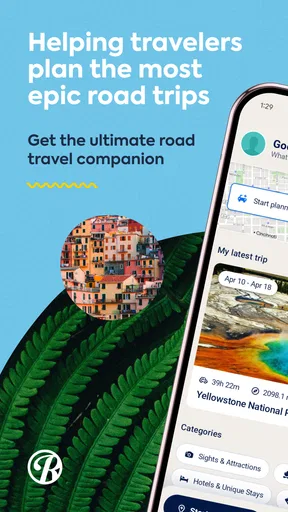
First off, downloading the Roadtrippers - Trip Planner app is a breeze. Available on both Android and iOS, it’s just a quick tap away in your app store. Once installed, you’re greeted with a sleek, user-friendly interface that screams "let's hit the road!" The app’s layout is intuitive, so you won’t find yourself getting lost before your journey even begins.
Planning Your Adventure
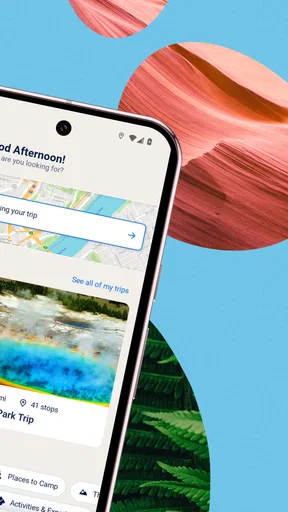
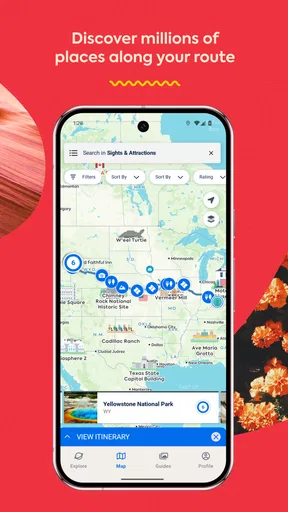
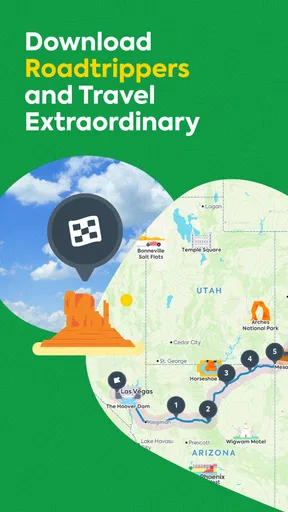
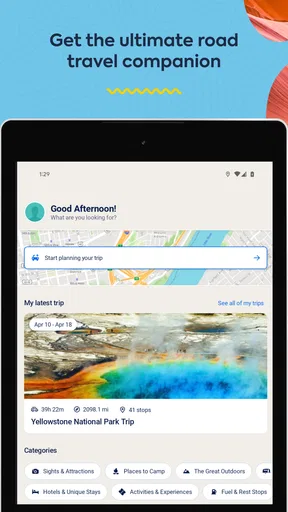
Roadtrippers is all about making your travel planning as seamless as possible. You can start by entering your starting point and destination, and watch as the app maps out a route filled with potential stops along the way. Whether you’re looking to explore quirky roadside attractions, scenic viewpoints, or hidden eateries, Roadtrippers has got you covered.
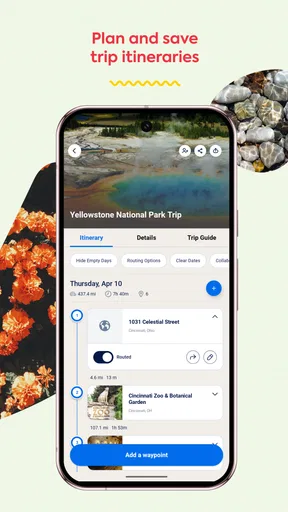
One of my favorite features is the ability to customize your itinerary. You can add or remove stops with just a tap, ensuring your road trip is tailored precisely to your interests. Plus, the app provides estimates on travel time and distances, so you can plan your days without any nasty surprises.
When this kind of trip planning pays off
I see the biggest advantage on a drive where the journey itself is part of the holiday: a weekend loop, a family visit with time for detours, or a route through places I would otherwise pass without noticing. Someone heading straight to a meeting or trying to arrive as quickly as possible may get more value from a conventional navigation app. Roadtrippers asks a different question: what could make this route interesting?
For an ordinary Saturday drive, I might enter the destination, look for one appealing stop roughly near the route, and then decide whether it fits the day. That is more useful than filling every spare hour with attractions. The app can surface possibilities, but I still need to check opening details and judge whether the added driving is worth it.
Discovering Hidden Gems
What’s a road trip without a few unexpected discoveries? Roadtrippers excels in highlighting lesser-known attractions that might otherwise slip under your radar. From offbeat museums to stunning natural wonders, the app’s database is packed with recommendations that cater to all tastes.
I stumbled upon a charming little diner thanks to the app’s suggestion, and let me tell you, their pie was worth every mile! It’s these little surprises that make a road trip memorable, and Roadtrippers ensures you won’t miss out on any.
How I’d choose between it and a standard map
A standard map is often the simpler choice when I already know where I’m going and care most about turn-by-turn directions. Roadtrippers is more valuable earlier, when I’m deciding what to see between endpoints. I’d use the two roles together: build an interesting itinerary here, then rely on the navigation approach that best fits the drive and current signal.
There’s a trade-off in that discovery workflow. A long list of possibilities can make a trip feel more complicated instead of more exciting. I’d add only stops that genuinely suit the people travelling, and keep the rest as inspiration. For a family, that might mean agreeing on one attraction everyone wants; for a solo driver, it could be a scenic pause that breaks up a tiring stretch.
Sharing and Collaborating
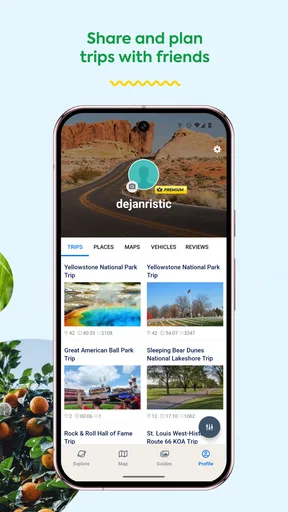
Planning a trip with friends or family? Roadtrippers makes it easy to share your itinerary with others. You can collaborate in real-time, allowing everyone to have a say in the adventure. This feature is perfect for group trips where everyone wants to add their personal touch.
And if you’re someone who loves documenting your travels, the app lets you log your journey and save your favorite places for future reference. It’s like having a digital scrapbook of your adventures, ready to reminisce whenever the travel bug bites again.
A smoother group-planning routine
For a group, I’d ask everyone to suggest a small number of stops before the itinerary is finalized. That keeps collaboration useful instead of turning it into an endless stream of additions. I’d then check the route as a whole: a place can look appealing on its own but create an awkward detour when combined with the rest of the day.
Shared planning is most helpful when the group agrees on who makes the final call and who handles changes during the drive. If everyone edits while travelling, decisions can become distracting. I’d settle the main route together in advance and leave one or two flexible slots for spontaneous choices.
Costs, subscriptions, and realistic expectations
The app is free to install, with in-app purchases ranging from about seven dollars to sixty dollars per item. I’d start with the free option and see whether its planning experience suits the kind of trips I actually take before spending anything. The available purchase range is worth keeping in mind if a feature or plan prompts an upgrade, rather than assuming every tool is included at no cost.
The app has an average rating of 2.2 from around 8,700 ratings, alongside roughly 3,000 written reviews, so I wouldn’t treat its appealing trip-planning concept as a guarantee that every user will have a smooth experience. It has passed a million installs, but popularity doesn’t answer whether it will fit my own planning habits. I’d try a short route first, check that the basic workflow feels comfortable, and only then build a more involved trip around it.
Staying on Budget
We all know that road trips can sometimes become a bit of a financial black hole. Luckily, Roadtrippers offers tools to help you stay on budget. You can track your expenses along the way, ensuring you don’t blow all your gas money on souvenir keychains.
The app also provides options for finding affordable accommodations and dining options, so you can enjoy your trip without breaking the bank. It’s like having a personal travel accountant in your pocket!
Who should skip it, and what to check before leaving
I’d recommend Roadtrippers to people who enjoy planning the stops as much as the drive, especially couples, families, and friends who want a shared shortlist of places to consider. It is less suited to anyone who wants only direct navigation, dislikes browsing recommendations, or needs to make every decision on the fly with unreliable connectivity. In those cases, a basic maps app and a simple written plan may be less fussy.
Before setting off, I’d review the planned stops, confirm practical details directly where possible, and make sure the route still works if one place is skipped. The app’s current version is 2.30.0.5955 and its minimum operating-system requirement is version 10; it is rated for Everyone. Those are useful details to check against your device and travel companions’ needs before installing.
Final Thoughts
All in all, Roadtrippers - Trip Planner is a fantastic tool for anyone looking to embark on a road trip. Its wealth of features makes planning and executing your journey a breeze, while also ensuring you discover unique spots along the way. Whether you’re a seasoned traveler or a road trip rookie, this app is sure to enhance your adventure.
So, next time you’re itching to hit the open road, give Roadtrippers a try. Pack your bags, grab your phone, and let the app guide you to an unforgettable journey. Happy travels!
My connectivity verdict
I’d use Roadtrippers as a way to find and arrange worthwhile detours, then prepare for the fact that the phone may not be equally useful at every point along the drive. Plan while connected, keep the schedule loose, and avoid depending on live browsing for a time-sensitive decision. For that kind of trip, the app can make an ordinary route feel more considered; for a straightforward commute or a drive where dependable turn-by-turn guidance is the only priority, I’d choose a simpler navigation tool.
Pros
- Intuitive and user-friendly interface.
- Extensive database of attractions.
- Customizable trip itineraries.
- Offline maps for remote areas.
- Collaborative planning with friends.
Cons
- Limited free version features.
- Occasional app crashes reported.
- Some areas lack detailed info.
- High battery consumption on use.
- Ads can be intrusive at times.
FAQs for Roadtrippers - Trip Planner
What features does Roadtrippers - Trip Planner offer?
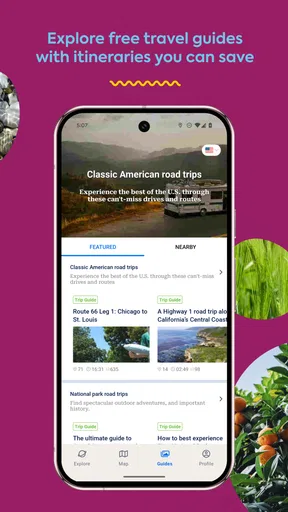
Roadtrippers - Trip Planner provides users with a comprehensive suite of features designed to enhance your travel experience. These include detailed mapping tools, the ability to plan routes with multiple stops, access to user-generated travel guides, and personalized recommendations for attractions, dining, and accommodations. The app also allows for easy sharing of itineraries with friends or family.
Is Roadtrippers - Trip Planner free to use?
Roadtrippers offers both free and premium versions. The free version allows users to plan trips with a limited number of waypoints and access basic features. For more advanced features, such as offline maps and an unlimited number of waypoints, users can subscribe to Roadtrippers Plus, which requires a paid subscription.
How accurate are the road and location details in the app?
Roadtrippers - Trip Planner utilizes a combination of user-generated content and professional mapping services to provide accurate road and location details. Users can rely on up-to-date information about routes, attractions, and services. However, it's always recommended to cross-reference with local sources, especially in remote areas, to ensure accuracy.
Can I use Roadtrippers - Trip Planner offline?
Yes, with a Roadtrippers Plus subscription, users have the option to download maps for offline use. This feature is particularly useful in areas with limited or no mobile connectivity. Offline access ensures that you can continue to navigate and access planned itineraries without an internet connection.
How does Roadtrippers - Trip Planner enhance the travel experience?
Roadtrippers - Trip Planner enhances the travel experience by offering personalized recommendations based on user preferences and interests. The app helps travelers discover hidden gems and popular attractions along their route, making the journey as enjoyable as the destination. Its community-driven content and expert travel guides provide insights and tips that enrich the overall travel experience.


